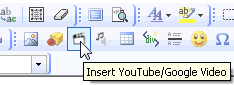
1. Click on 'Insert YouTube/Google video' link found on the second row of buttons
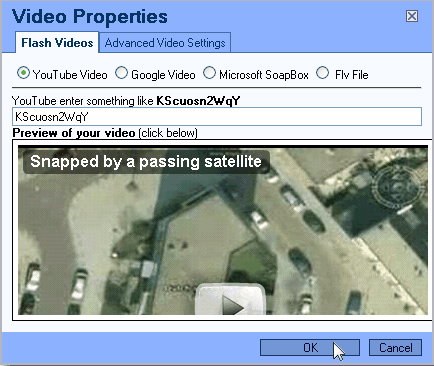
2. Select YouTube, Google, Microsoft SoapBox or FLV File and enter the correct video id for the file. Click 'OK' and your done!

1. Click on 'Insert YouTube/Google video' link found on the second row of buttons
2. Select YouTube, Google, Microsoft SoapBox or FLV File and enter the correct video id for the file. Click 'OK' and your done!